Best HDMI to USB Camera Capture Cards for Smooth Streaming and Recording
The growing need to convert camera HDMI output into USB input for computers or mobile devices has made HDMI-to-USB capture cards essential for streaming, teaching, gaming, and video conferencing. This guide highlights five reliable options, comparing 4K and 1080p capabilities, latency, and compatibility to help you choose the right device for OBS, Zoom, or classroom presentations.
Overview of selected products:
- VIXLW 4K HDMI Video Capture Card (VIXLW) — 4K@60Hz input, USB 2.0 output
- Guermok 4K USB3.0 Capture Card (Guermok) — 1080P60 output, ultra-low latency
- Extenuating Threads 4K HDMI Capture Card (Extenuating Threads) — 4K input, USB 2.0
- Rybozen Capture Card for Nintendo Switch (Rybozen) — 1080P60, USB 3.0
- UGREEN 2K/4K HDMI to USB-C Capture Card (UGREEN) — 2K30, USB-C/USB-A
VIXLW 4K HDMI Video Capture Card

The VIXLW capture card supports 4K@60Hz video input with full-speed transfer to USB, plus 1080p@30Hz output for high-quality recordings and streams. It’s designed for live broadcasts, teaching, and online conferences, with a compact aluminum shell that aids portability and heat management. Plug-and-play operation, no external power is required, and broad compatibility with OBS makes it suitable for both indoor and outdoor use.
Guermok 4K USB3.0 HDMI Capture Card

Guermok offers 1080P 60FPS capture with USB 3.0, supporting 4K@30Hz input and 2K/1080P output. Built with aluminum for heat dissipation, it emphasizes ultra-low latency for live gaming, streaming, and video calls. It’s a plug-and-play device without drivers, making it practical for on-the-go use and real-time recording across Windows, macOS, and popular streaming platforms.
Extenuating Threads 4K HDMI Capture Card
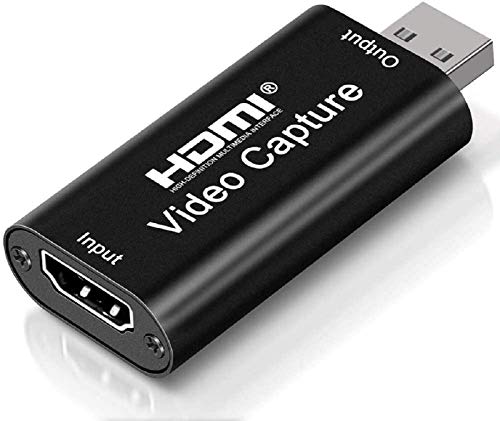
This Cam Link-style card delivers 4K input with USB 2.0 output, ideal for streaming, gaming, and teaching. It emphasizes real-time capture with minimal delay and compact design for easy transport. HDMI signals are captured with smooth color reproduction, and the device is positioned as a versatile option for conference rooms, classrooms, and content creation workflows that require dependable HDMI-to-USB capture.
Rybozen Nintendo Switch Capture Card

Rybozen’s capture card supports 1080P 60FPS and is designed for compatibility with Switch, PS4/PS5, Xbox, and cameras. It offers plug-and-play operation on Windows and Mac OS, delivering low-latency streaming suitable for live gameplay, conferencing, or online lessons. The device is optimized for affordable, easy setup with popular streaming software such as OBS.
UGREEN 2K/4K HDMI Capture Card

UGREEN’s card supports 2K@30Hz input and 2K output, with 4K@30Hz input capability and USB-C or USB-A interfaces for broad compatibility. It emphasizes ultra-low latency and is backward compatible with USB 2.0. The device is suitable for streaming, game recording, and video conferences on various platforms, including mobile devices via USB-C. It is marketed for multi-scenario use with Switch, console, or camera sources.
Buying Guide: Key Considerations For Selecting An HDMI To USB Capture Card
- Resolution needs: If you require 4K capture, verify both input support (4K at 60Hz) and output compatibility (4K or 1080p). Some models only support 4K input with 1080p output.
- Video latency: For live streaming or gaming, low latency is critical. Aluminum housings and USB 3.0/USB-C interfaces generally reduce lag.
- Connection type: USB-C can offer broader compatibility with newer devices, while USB-A remains widely supported. Some models provide both.
- Power and drivers: Plug-and-play designs with no extra power supply are convenient, but check if drivers are required for Mac, Windows, or Linux environments.
- Software compatibility: Ensure OBS, Zoom, Skype, or other broadcasting software are supported. Real-time preview and screen sharing features improve workflow.
- Portability and durability: For travel or classroom use, a compact and sturdy enclosure helps with transport and long-term reliability.
- Device compatibility: Some cards are optimized for consoles, cameras, or action cams. Confirm that your source device (PS5, Switch, DSLR, etc.) is supported.
- Input/output rates: Evaluate whether the device supports HDMI output to a display while simultaneously streaming to a computer, if that is a use case you expect.
- Price-to-performance: Higher-resolution capture often comes with faster interfaces; balance your budget with the required features for your setup.
- Warranty and support: Look for manufacturers offering clear return policies and customer support to resolve setup issues.